
Learning HTML is exciting, but it’s easy to get tripped up by simple mistakes that make you question your code and sometimes your sanity. If your webpage looks nothing like you imagined, or behaves in weird ways, chances are you’re not alone. Many beginners, myself included, fall into the same traps during the first week.
I made these exact errors when I started, and they confused me more than the actual coding. The worst part? Browsers rarely give clear error messages for HTML, leaving you to debug in the dark.
To save you the frustration, I’ve documented the five most common HTML mistakes beginners make, explaining why they happen and how to fix them instantly. Understanding these early will accelerate your learning and build a rock-solid foundation for web development.
Let’s dive into the mistakes that held me back, so they don’t have to hold you back.
❌ Mistake #1: Saving HTML Files With the Wrong Extension
What I did wrong:
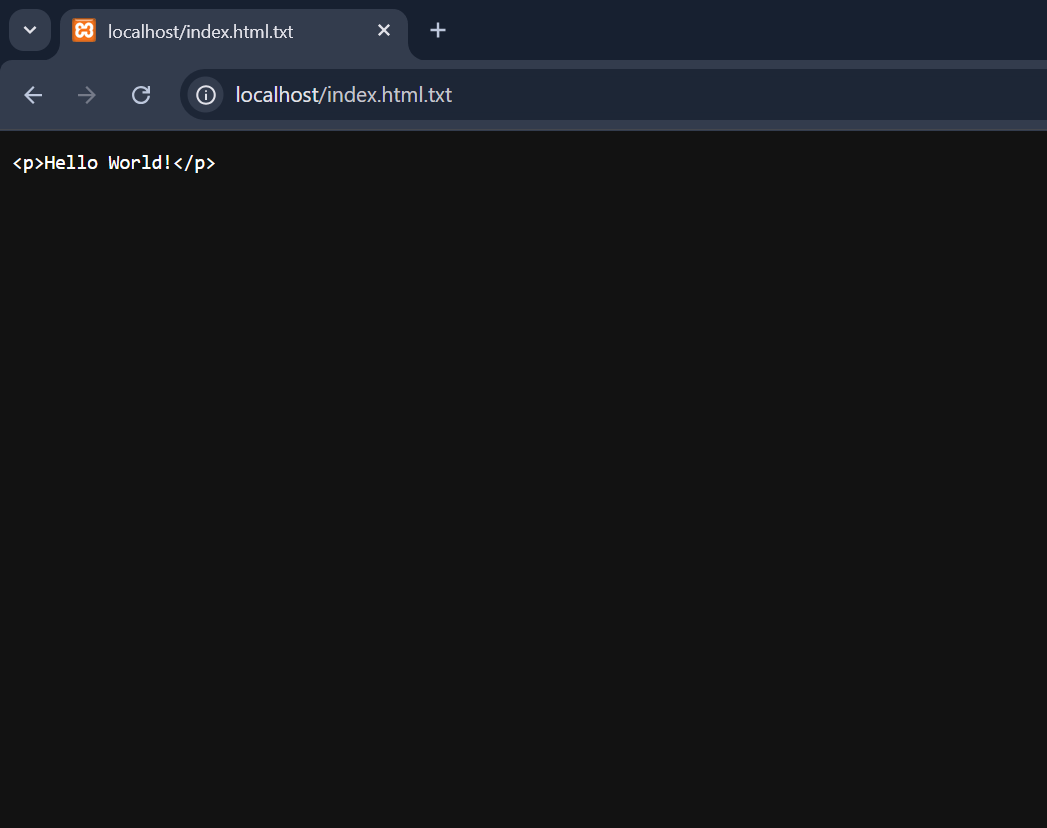
I wrote correct HTML code but saved the file as ‘index.html.txt’ without realizing it.
Why it confused me:
The browser showed plain text instead of a webpage, and I thought my code was wrong. See the screenshot below shows the plain text in the browser.
What I learned:
Browsers only read HTML when the file extension is ‘.html’.
Beginner tip:
Always enable ‘File name extensions’ in Windows before saving HTML files. To enable the file extension in windows, click the view menu option and go to ‘Show’ option. After that, click the ‘File name extensions’ option to enable the file name extension.
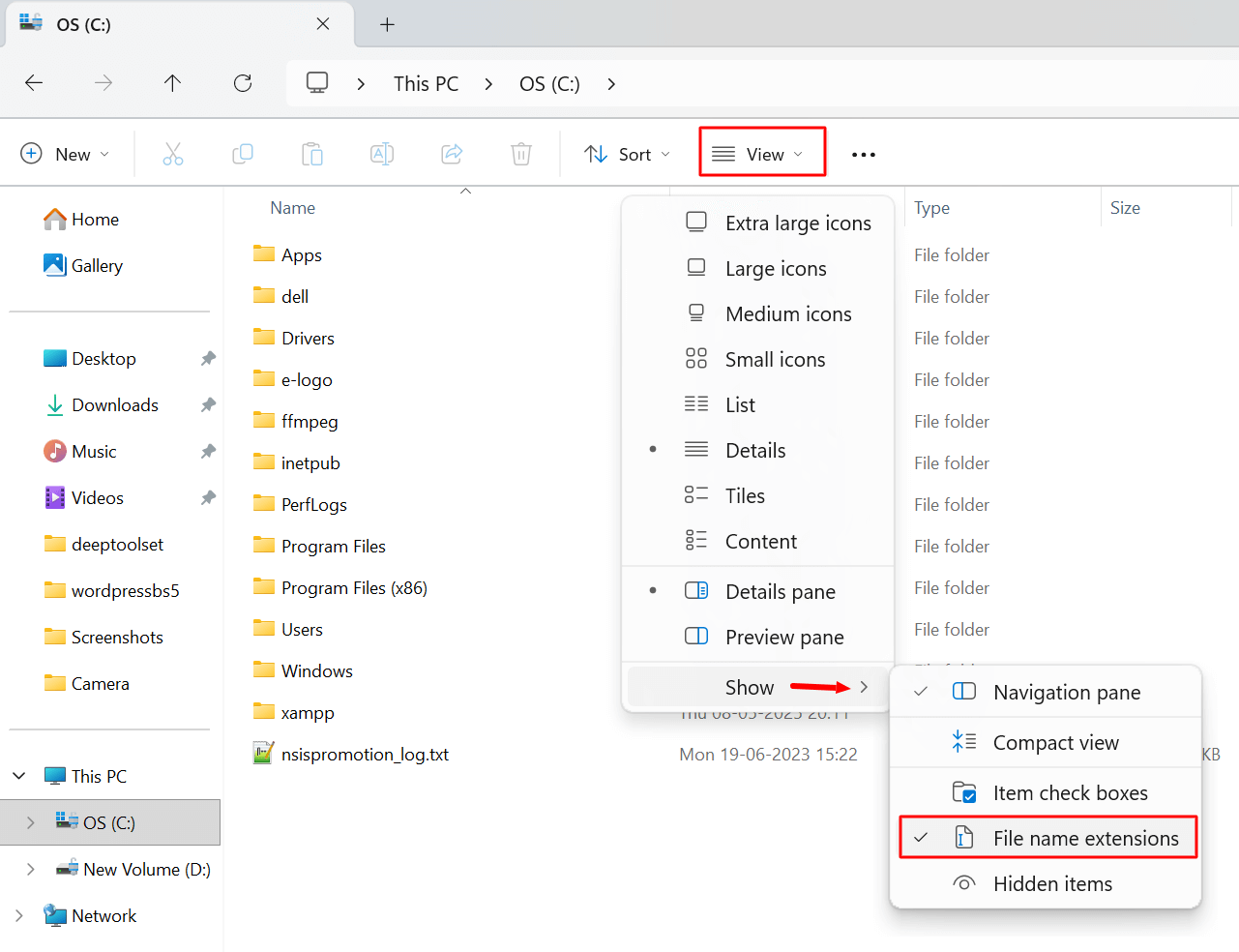
You will now get files with extensions to help you use correct in HTML.
❌ Mistake #2: Forgetting to Close Tags
What I did wrong:
I often forgot to close tags like <p> and <div>.
Why it confused me:
Sometimes the page still worked, sometimes the layout broke—without any error message.
What I learned:
HTML is forgiving, but that forgiveness creates confusion for beginners.
Beginner tip:
Use proper indentation and always close tags, even if the browser doesn’t complain.
Tags that require closing tags will not work properly in HTML if their closing tags are missing. However, some HTML tags do not require closing tags. These tags are <area>, <base>, <br>, <col>, <embed>, <hr>, <img>, <input>, <link>, <meta>, <param>, <source>, <track>, and <wbr>.
❌ Mistake #3: Trying to Memorize All HTML Tags
What I did wrong:
I tried to memorize every HTML tag from one tutorial.
Why it confused me:
I remembered nothing and felt HTML was harder than it actually is.
What I learned:
You only need 8–10 tags to start building real pages.
Beginner tip:
Focus on <h1>, <p>, <a>, <img>, and <div> first.
❌ Mistake #4: Mixing HTML With CSS Too Early
What I did wrong:
I jumped into styling before understanding HTML structure.
Why it confused me:
I didn’t know whether the problem was HTML or CSS.
What I learned:
HTML is structure. CSS is decoration.
Beginner tip:
Learn plain HTML for at least 5–7 days before touching CSS.
❌ Mistake #5: Expecting HTML to Behave Like Programming
What I did wrong:
I expected conditions, logic, and calculations.
Why it confused me:
HTML doesn’t ‘think’—it only displays.
What I learned:
HTML is markup, not programming.
Beginner tip:
Treat HTML like grammar, not logic.