If you’re a freelancer, you’re also your own admin team. You chase leads, collect project details, send contracts and get paid. Most of that starts with a form.
A good form builder replaces the endless email back-and-forth. It captures client details, takes payments, collects signatures and sends everything where you need it. A bad one means clunky forms, missed leads and wasted hours.
This guide compares the best form builders for freelancers on what matters: price, ease of use, payments, integrations and fit for a one-person business.
Quick answer: For most freelancers, Jotform is the best all-round choice. It has a usable free plan, thousands of templates, and built-in payments and e-signatures. If you only need simple forms, Google Forms or Tally may be enough.
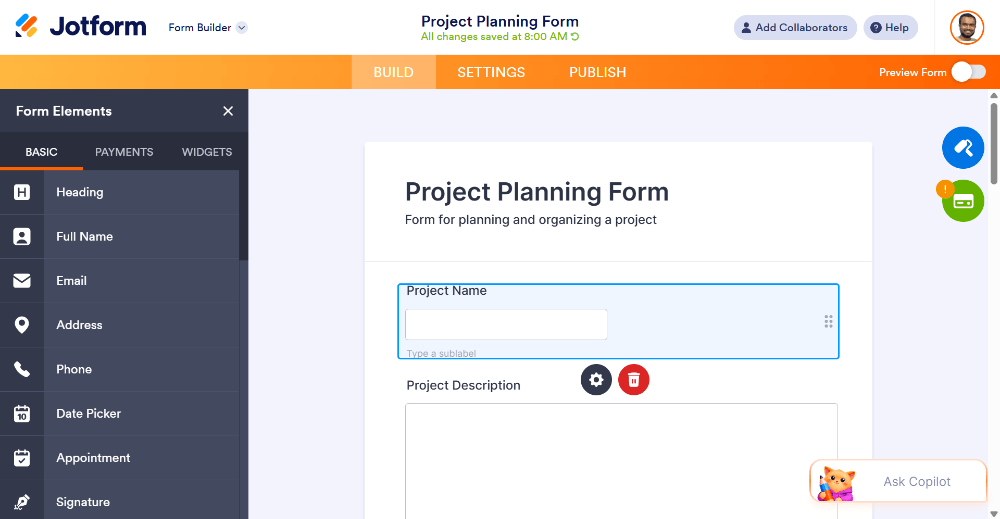
Jotform’s drag-and-drop builder with a client intake form
What Freelancers Should Look for in a Form Builder
A useful free plan or low starting price. Freelance income is irregular, so avoid big fixed costs.
Templates. You want a client intake or quote request form in five minutes, not a blank canvas.
Payment collection. Taking deposits inside the form removes invoicing friction.
E-signatures. Contracts should be signable without another subscription.
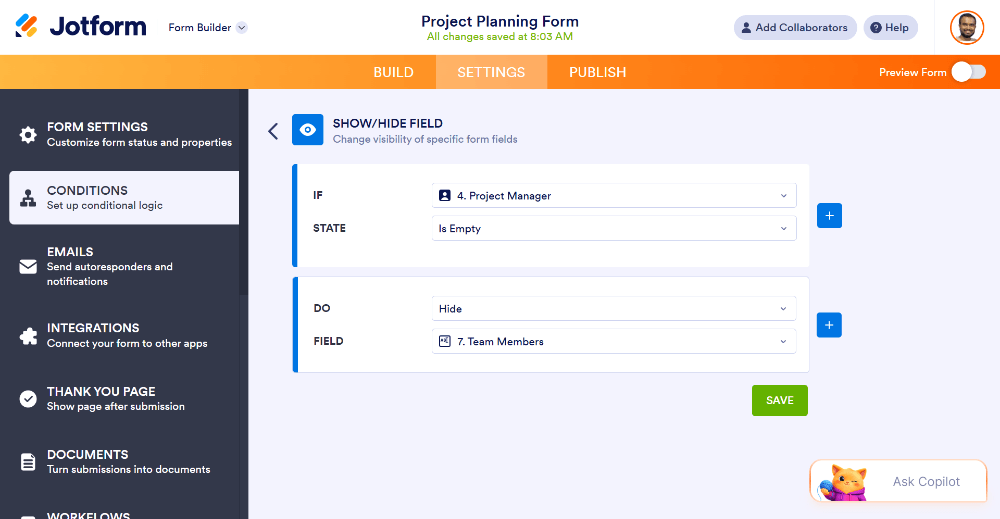
Conditional logic. Show different questions depending on the client’s answers.
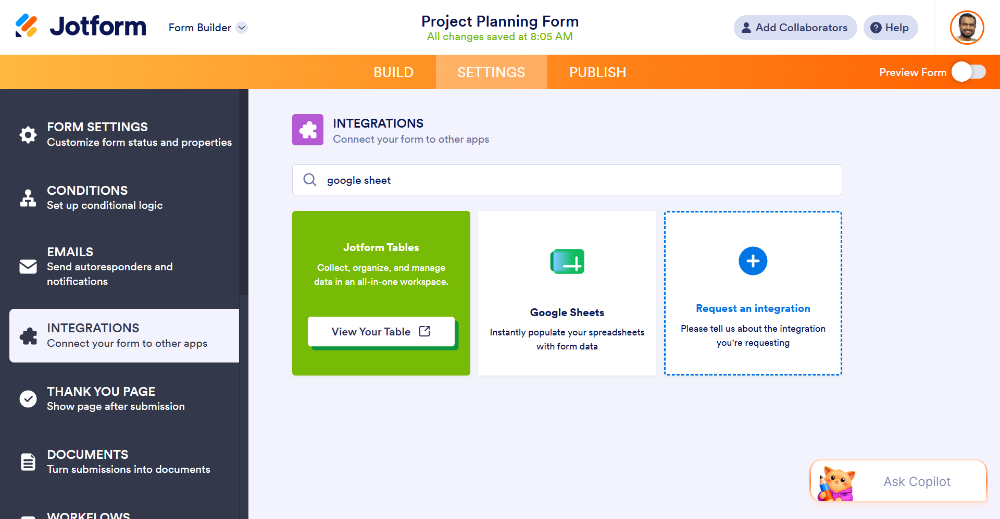
Integrations. Google Sheets, Slack, Notion, Calendly and your CRM should connect easily.
Mobile-friendly forms. Many clients will answer on their phones.
Professional branding. Your logo and colors, and on paid plans no third-party branding.
The 7 Best Form Builders for Freelancers in 2026
1. Jotform: Best Overall for Freelancers
Jotform is the strongest all-rounder for freelancers. It handles simple contact forms and also covers payments, e-signatures, approvals and client onboarding, so you don’t need to stack several tools.
Why freelancers like it:
Huge template library. Thousands of templates, including client intake, project brief, quote request, booking, feedback and invoice forms.
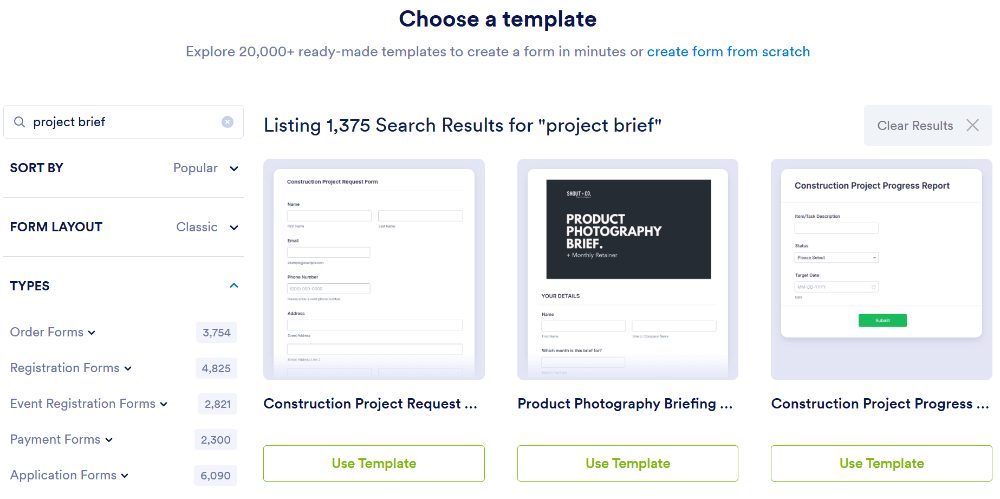
Drag-and-drop builder. No coding needed, and it’s friendly for beginners. Search “project intake” to start from a ready-made template
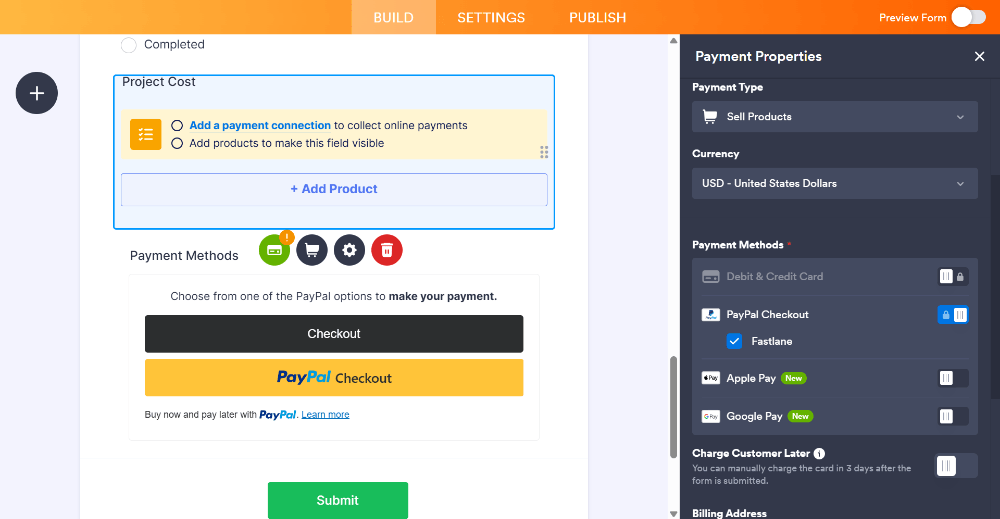
Payments built in. Connect gateways such as Stripe, PayPal and Square and collect deposits or full payments through the form.
E-signatures. Jotform Sign lets clients sign agreements online, so you can drop a separate e-signature subscription.
Conditional logic. Build one smart form that adapts to the service the client picks.
Integrations. Works with Google Sheets, Google Drive, Slack, Notion, Zapier, Mailchimp and more.
Free plan to start. Begin at no cost and upgrade only when your volume grows.
Collect a deposit directly inside the form
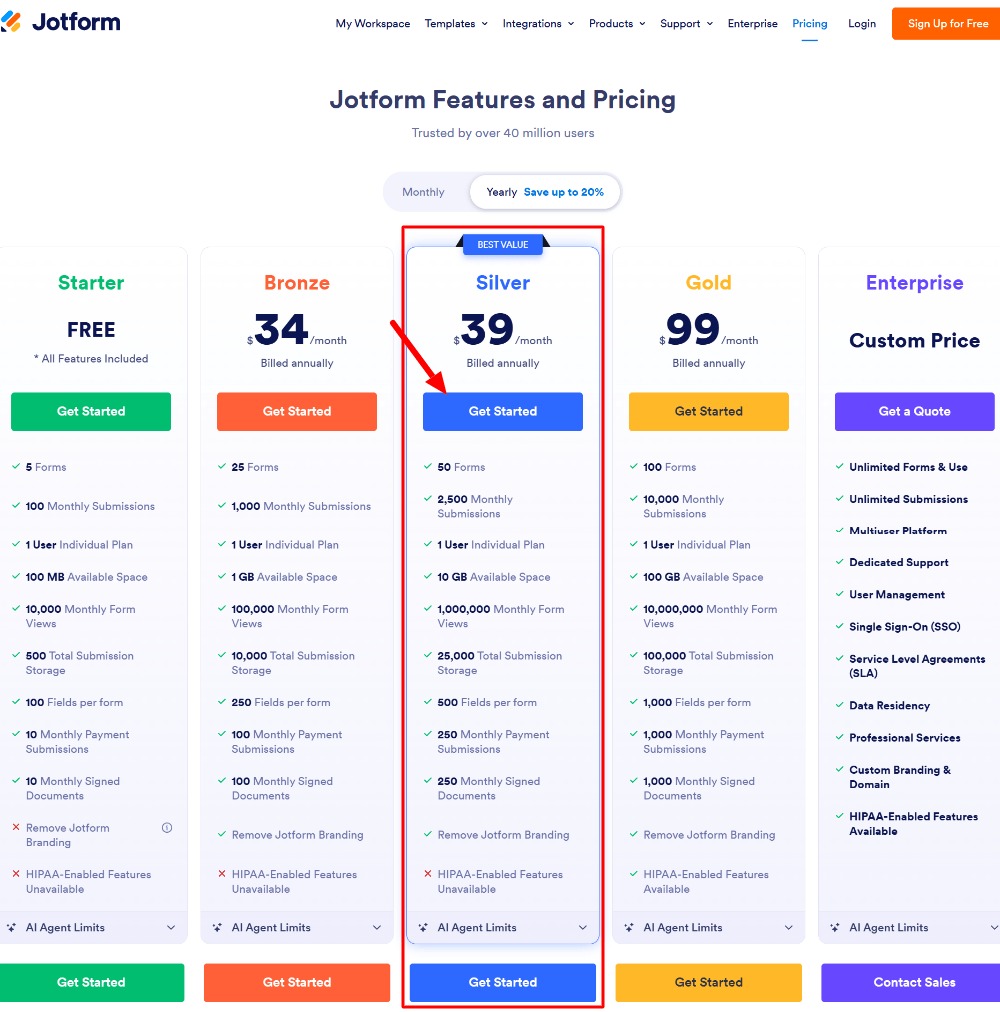
Pricing (2026): Jotform has a free Starter plan with 5 forms and 100 monthly submissions. Paid plans start at roughly $34/month on annual billing (about $39 month-to-month), with higher tiers adding more forms, submissions and storage. Prices change, so check the current pricing page.
Jotform plans: start free, upgrade as you grow
Pros
Best template library of the tools here
Payments, signatures and approvals in one place
Generous free plan for getting started
Works for simple and advanced use cases
Cons
Many options, so a short learning curve
Submission limits on free and lower tiers can matter for high-volume forms
Best for: Freelancers who want one tool for lead capture, client onboarding, payments and contracts.
2. Google Forms: Best Free Option for Simple Needs
Google Forms is free, familiar and fast. For a basic contact form or quick survey, it does the job.
Pros: Free, integrates with Google Sheets, easy to share. Cons: Limited design control, no native payments, and it looks less professional for client-facing work.
Best for: Quick surveys and basic internal forms.
3. Tally: Best for Minimalists
Tally has a clean, document-style editor and a generous free plan. It suits freelancers who want simple, distraction-free forms.
Pros: Simple interface, generous free tier. Cons: Fewer templates and less depth than full-featured builders; advanced workflows and e-signatures are less developed.
Best for: Clean, simple forms with few extras.
4. Typeform: Best for Conversational Design
Typeform shows one question at a time, so forms feel like a conversation. It works well for surveys and creative intake.
Pros: Beautiful design, engaging experience. Cons: Pricing climbs quickly, and it’s less suited to payment-heavy or document-heavy workflows.
Best for: Designers and creatives who care about presentation above all.
5. Fillout: Best for Integration-Heavy Workflows
Fillout is a newer builder that connects well with tools like Airtable and Notion.
Pros: Modern interface, strong integrations. Cons: Smaller template library and community than established tools.
Best for: Freelancers who already run their business in Airtable or Notion.
6. Paperform: Best for Document-Style Forms
Paperform lets you build forms that look like web pages, with strong customization and payment support.
Pros: Flexible layouts, good for branded pages. Cons: Higher starting price than some alternatives.
Best for: Freelancers who want forms that double as branded landing pages.
7. Microsoft Forms: Best if You Live in Microsoft 365
A solid choice if you already pay for Microsoft 365 and only need simple forms and quizzes.
Pros: Included with Microsoft 365, easy to use. Cons: Limited customization and payment features.
Best for: Freelancers already working in the Microsoft ecosystem.
Quick Comparison Table
Tool
Free Plan
Payments
E-Signatures
Templates
Best For
Jotform
Yes
Yes (multiple gateways)
Yes
Thousands
All-in-one freelance workflow
Google Forms
Yes
No (native)
No
Limited
Simple surveys
Tally
Yes
Limited
No
Fewer
Minimalist forms
Typeform
Limited
Limited
No
Moderate
Conversational design
Fillout
Yes
Yes
Limited
Fewer
Airtable/Notion users
Paperform
No
Yes
Limited
Moderate
Branded page-style forms
Microsoft Forms
With M365
No
No
Limited
Microsoft users
Features and pricing change often. Check each tool’s website for current details.
How to Set Up a Freelance Client Intake Form (Step by Step)
Here’s a practical example using Jotform. It takes about ten minutes.
Step 1: Start from a template. Open the template library and search “client intake” or “project brief.”
Step 2: Customize the questions. Keep it short: name, email, project type, budget range, deadline and a description of what they need.
Step 3: Add conditional logic. If a client picks “Website design,” show design questions. If they pick “Copywriting,” show different ones. Forms stay short while you still collect the right details.
Step 4: Add a payment field (optional). Ask for a deposit or booking fee so serious clients commit up front.
Step 5: Brand it. Add your logo, adjust colors and fonts, and preview on mobile.
Step 6: Connect your tools. Send submissions to Google Sheets, get Slack or email notifications, and set up an auto-reply thanking the client.
Step 7: Embed or share. Add the form to your portfolio site, put the link in your email signature, or share it in your social bio.
Which Form Builder Should You Choose?
One tool for everything (intake, payments, contracts): choose Jotform.
Free and basic: try Google Forms or Tally.
Design comes first: consider Typeform or Paperform.
Already on Airtable or Notion: look at Fillout.
For most freelancers, the deciding factor is how much manual work a tool removes. A builder that also collects payments and signatures saves you from paying for and juggling extra subscriptions, and that’s why Jotform earns the top spot.
Frequently Asked Questions
What is the best free form builder for freelancers?
Jotform, Google Forms and Tally all have free plans. Jotform’s free plan is the most feature-rich, with templates, conditional logic and payment integrations, though it limits forms and monthly submissions.
Can I collect payments through an online form?
Yes. Builders like Jotform connect to gateways such as Stripe, PayPal and Square so clients can pay a deposit or full amount when they submit the form.
Do I need a paid plan as a freelancer?
Not at first. Start on a free plan and upgrade when you need more submissions, more forms, or your own branding without the builder’s logo.
Can clients sign contracts through a form?
With tools that include e-signature features, such as Jotform Sign, yes. Clients can review and sign agreements online without extra software.
Are online forms secure enough for client data?
Reputable form builders use encryption and offer privacy controls. For sensitive data such as health information, check that the tool supports the compliance you need, for example HIPAA on eligible plans.
How many forms does a freelancer need?
Most freelancers get by with three to five: a contact form, a client intake form, a quote request, a feedback form and possibly a booking form.
Final Thoughts
The best form builder for freelancers is the one that fits how you work and saves you the most time.
If you want a single platform for client intake, payments and signatures, with a free plan to start, Jotform is the best place to begin. Set up one intake form this week and see how much back-and-forth it removes.