
Somewhere along the way, “collecting leads” turned into a bigger project than it needed to be. You want one simple thing – a way for interested people to give you their name and email so you can follow up.
Somehow that turns into researching backend frameworks, comparing hosting plans, or waiting on a developer’s schedule just to launch something that should’ve taken an afternoon.
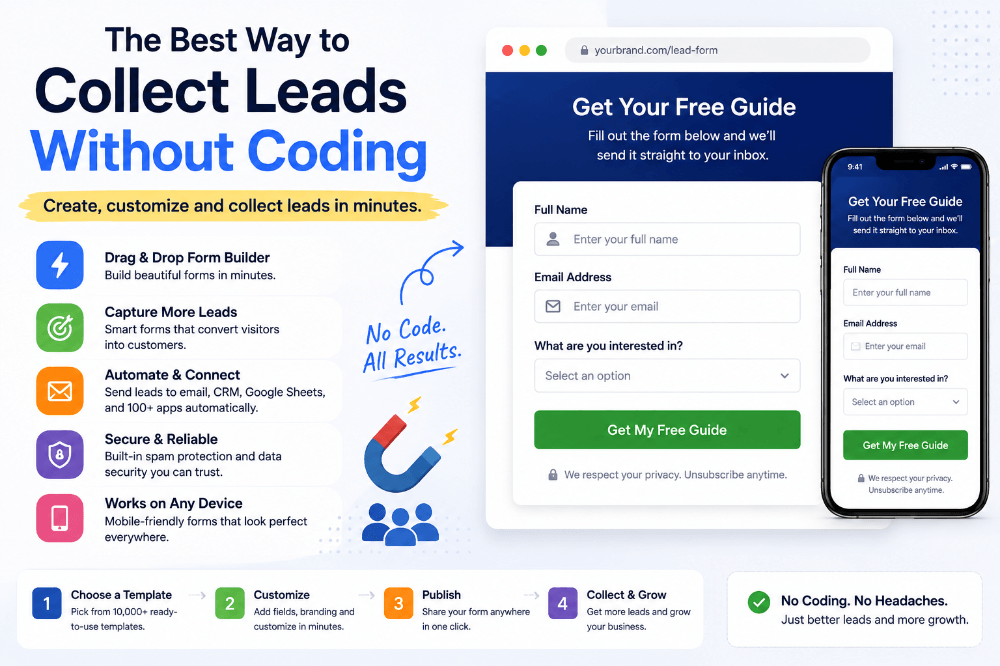
Here’s the good news: you can collect leads without coding, and it doesn’t require any technical workaround to do it properly.
You don’t need to know a single line of code to build a lead capture form that looks professional, works on every device, and actually gets your leads into your inbox or CRM.
Let’s walk through what the best way to collect leads without coding actually looks like in practice – and where most of the wasted effort is coming from in the first place.
Why People Assume They Need to Code
If you go back even five or six years, that assumption made more sense. Building anything functional on the web usually meant at least some HTML, some JavaScript for interactivity, and a backend to actually store what people submitted.
Lead capture forms weren’t an exception – a “simple” email signup form still needed validation, spam protection, and some way to connect it to your email list or spreadsheet.
That history is exactly why so many business owners, freelancers, and marketers still assume coding is the starting point. It’s an old assumption that hasn’t caught up with how much the tools have changed.
What “Without Coding” Actually Means Today
No-code lead capture tools let you build the exact same thing – a form that collects a name, email, and whatever else you need – through a visual interface instead of writing code.
You drag a field onto a canvas, you type your labels, you pick your colors, and the form is ready to publish. Everything that used to require a developer – validation, spam protection, mobile formatting, data storage – comes built in.
The result looks and functions identically to a custom-coded form. The only real difference is who’s doing the building, and how long it takes them to do it.
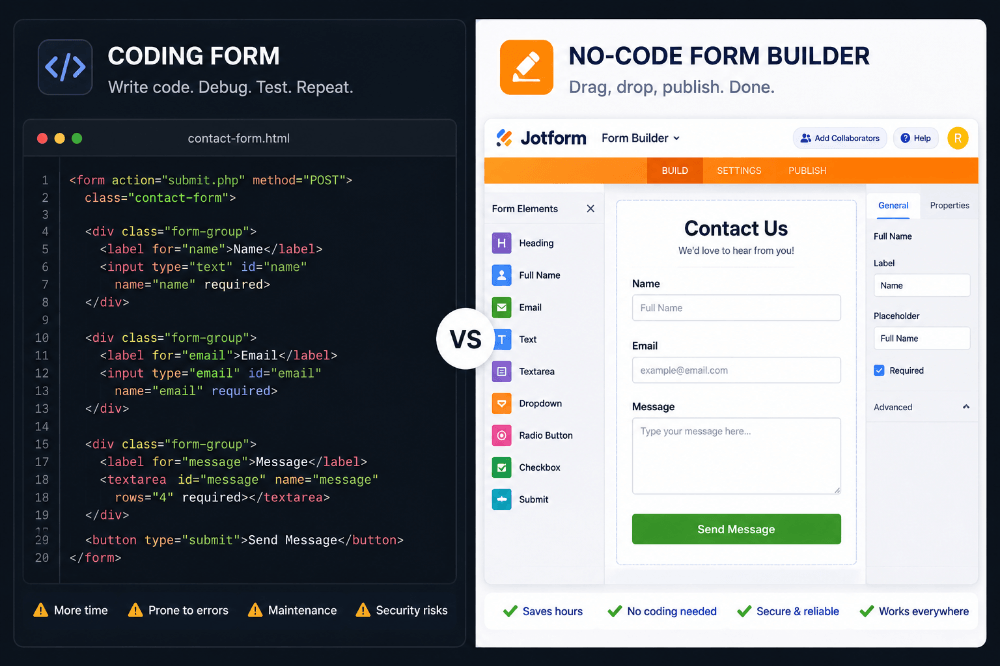
The Best Way to Collect Leads Without Coding: Match the Tool to the Job
“Best way” doesn’t mean the same tool for every situation – it means picking the right approach for what you’re actually trying to collect. Here’s how that breaks down in practice.
If you just need a simple email opt-in
For something as basic as “give me your email and I’ll send you updates,” you barely need a form builder at all – many email marketing platforms include a basic signup form you can embed directly. This is the lightest-weight option, and it’s fine for that one specific use case.
If you need more than just an email address
The moment you need more than one or two fields – name, phone number, a dropdown of interests, maybe a message box – a dedicated form builder becomes the better choice.
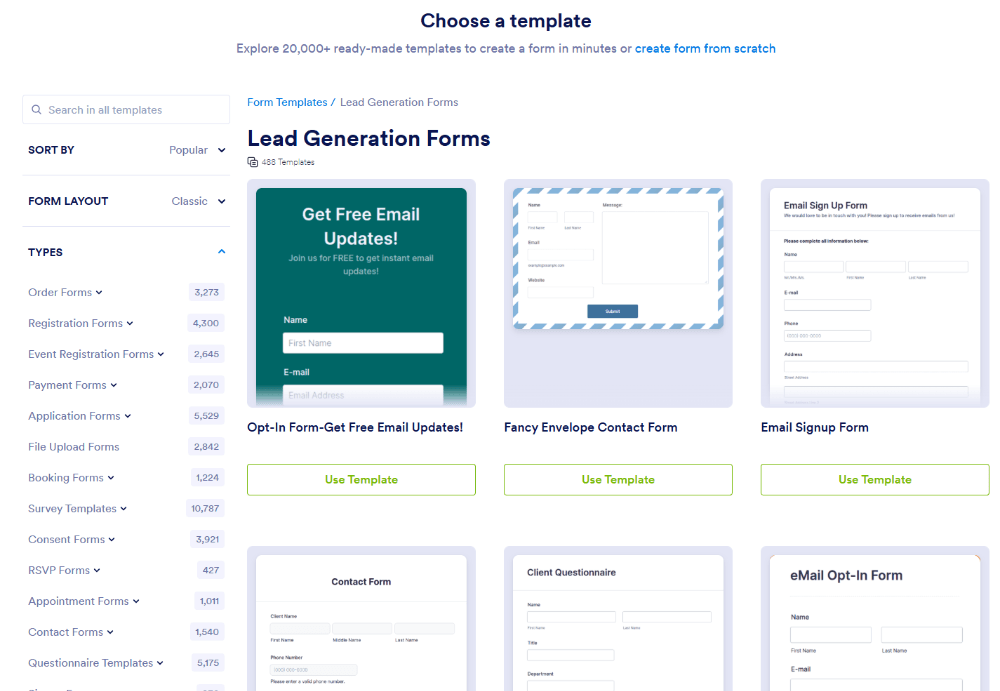
This is where a platform like Jotform fits in: instead of stitching together a basic embed with extra plugins, you get a proper drag-and-drop builder designed specifically for this, with templates built for lead generation already set up and ready to customize.
If you need the lead to go somewhere specific
If your leads need to land in a CRM, trigger a Slack notification, or get added to a specific spreadsheet your sales team actually checks, you need integrations – not just a form that emails you.
This is where the best approach stops being about the form itself and starts being about what happens after someone hits submit.
What a Genuinely Good Lead Capture Form Needs
Regardless of which tool you pick, a lead capture form that actually converts shares a few common traits. If you’re evaluating options, use this as your checklist.
It asks for the minimum, not the maximum. The fewer fields you require, the more people will actually finish filling it out. Name and email is often enough to start a conversation – everything else can come later.
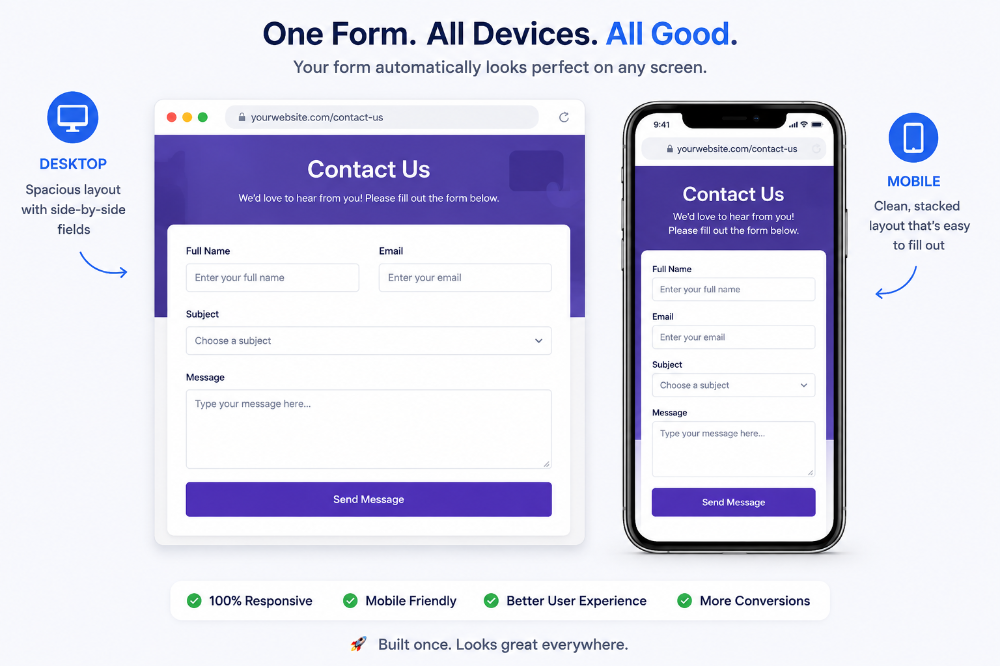
It works properly on a phone. A huge share of your visitors will be on mobile, and a form that’s even slightly awkward to fill out on a small screen will quietly lose you leads you’ll never know about.
It confirms the submission clearly. A simple “thanks, we’ll be in touch” message (or a follow-up email) reassures people that their information actually went through, rather than leaving them wondering.
It filters out spam automatically. Without basic bot protection, a public lead form will eventually get flooded with junk submissions that bury your real leads.
It connects to where you actually work. A lead sitting in an inbox you check once a week isn’t really captured – it’s just delayed. The best setups route new leads straight into a CRM, spreadsheet, or notification channel your team is already watching.
Common Mistakes People Make When Collecting Leads Without Coding
Switching to a no-code tool solves most of the technical headaches, but it doesn’t automatically guarantee good results. A few mistakes show up again and again, even with the best tools available.
Using a generic template without adjusting it. Templates are a great starting point, but publishing one without adjusting the fields, wording, or branding to match your actual offer can make a form feel impersonal or out of place on your site.
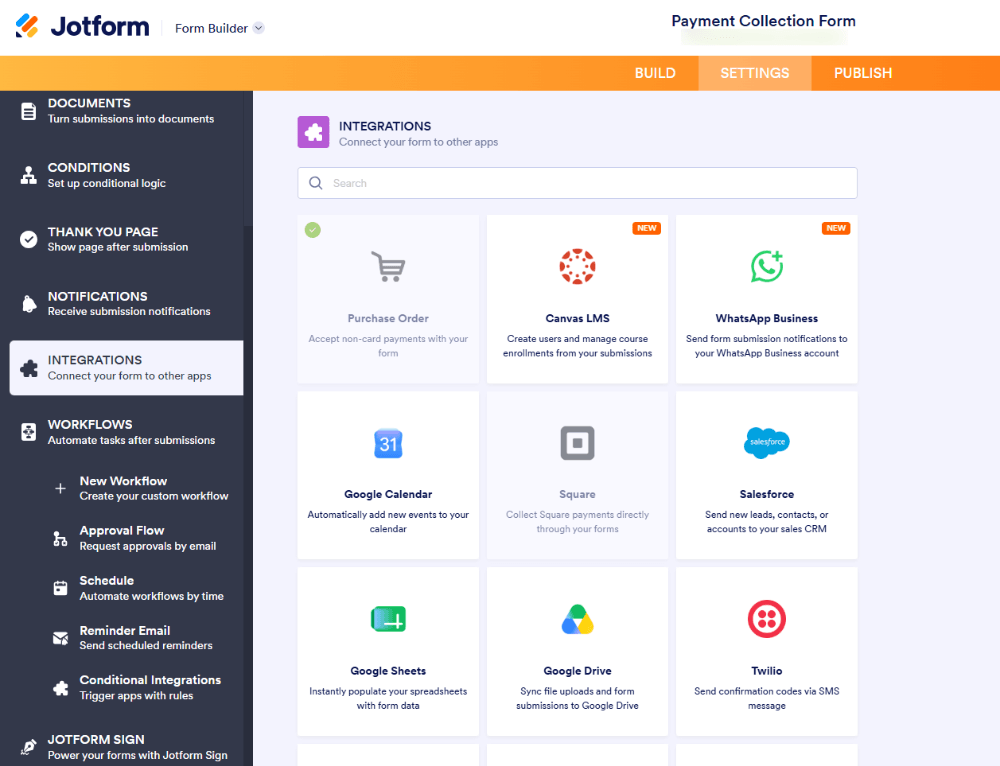
Skipping the integration setup. It’s easy to publish a form and stop there, leaving submissions to pile up in a notification email instead of flowing into a CRM or spreadsheet your team actually checks daily.
Making every field required. Just because a form builder makes it easy to add fields doesn’t mean every field should be mandatory. Optional fields let cautious visitors submit partial information rather than abandoning the form entirely.
Forgetting to test on mobile. Even with a responsive builder, it’s worth checking the finished form on an actual phone – fonts, spacing, and button placement can still look different than expected.
Not following up quickly. A great lead capture form can still lose value if leads sit untouched for days. Pairing your form with an automatic confirmation email and a fast follow-up process makes a real difference in how many leads actually convert into customers.
Free vs. Paid No-Code Tools: What’s the Difference?
Most no-code form builders, including Jotform, offer a free tier alongside paid plans. Understanding what typically separates them helps you choose without over- or under-paying for what you need.
Free plans are usually a good fit if you’re just getting started, testing an idea, or only need a small number of monthly submissions. They typically include the core builder, basic templates, and standard integrations, sometimes with a cap on submissions or storage.
Paid plans generally unlock higher submission limits, advanced integrations (like deeper CRM connections), more storage for file uploads, custom branding without the platform’s logo, and features like HIPAA compliance for sensitive data.
For most beginners collecting leads without coding for the first time, starting on a free plan is the most sensible move – you can always upgrade once your submission volume grows or you need a specific integration the free tier doesn’t include.
Where Most of Your Leads Are Actually Coming From
Before picking a tool, it’s worth stepping back and thinking about where your lead capture form will actually live, because that affects what “best” even means for your situation.
On your website. This is the most common case – a contact page, a dedicated landing page, or a form embedded partway down a service page. Here, design consistency matters most, since the form needs to feel like a natural part of your site rather than something bolted on.
Inside social media or ads. If you’re running paid traffic straight to a form (rather than a full landing page), speed and simplicity matter even more than usual. People arriving from an ad have almost no patience for a slow-loading or confusing form – they’ll bounce within seconds if something feels off.
At in-person events. If you’re collecting leads at a trade show, conference booth, or pop-up, you need a form that works well on a tablet or phone in a noisy, distracted environment, often with a staff member helping someone fill it in. Big touch targets and short forms matter even more here than on a desktop-first design.
Via QR code or print material. A QR code on a flyer, business card, or storefront sign sending people to a form only works if that form loads instantly and looks clean on a phone the moment it opens – there’s no second chance if it stumbles.
Each of these contexts slightly changes what “the best way to collect leads without coding” looks like in practice, but the underlying principle stays the same: remove friction, and make sure the form actually reaches the system you use to follow up.
DIY Templates vs. Building From Scratch Inside a No-Code Tool
Even within the no-code world, there’s a smaller decision to make: use a template as-is, lightly customize one, or build a form completely from a blank canvas. None of these are wrong, but they suit different situations.
Using a template as-is is the fastest option and works well if you’re testing an idea quickly or need something live today. The tradeoff is that it may not perfectly reflect your specific offer or brand voice.
Lightly customizing a template – adjusting the fields, wording, and colors, but keeping the overall structure – is the sweet spot for most businesses. You save the time of designing a layout from scratch while still ending up with something that feels genuinely yours.
Building from a blank canvas makes sense if your lead qualification process is unusual enough that no existing template fits well – for example, a multi-step application process with several conditional branches.
Even then, you’re still dragging and arranging pre-built fields rather than writing code; it just takes a bit longer to assemble.
For most people trying to collect leads without coding for the first time, starting from a template and adjusting it is the fastest path to something that actually works well, rather than spending hours perfecting a form from nothing.
If you want to see what this actually looks like in practice, here’s roughly how it goes using a no-code builder like Jotform:
- Pick a template. Instead of starting from a blank page, choose a lead capture or contact form template already designed for this purpose.
- Adjust the fields. Keep it short – name, email, and maybe one qualifying question, like “what are you interested in?”
- Set up conditional logic (optional). If you want extra fields to appear only when relevant – say, showing a budget field only if someone selects “I’m ready to buy” – you can set that up visually, no scripting involved.
- Style it to match your brand. Adjust colors and fonts so it feels like part of your website, not a bolted-on afterthought.
- Connect your integrations. Link the form to your email tool, CRM, or a spreadsheet so new leads land exactly where you’ll see them.
- Publish and test it yourself. Submit a real entry before sharing the form publicly, just to confirm everything’s landing where it should.
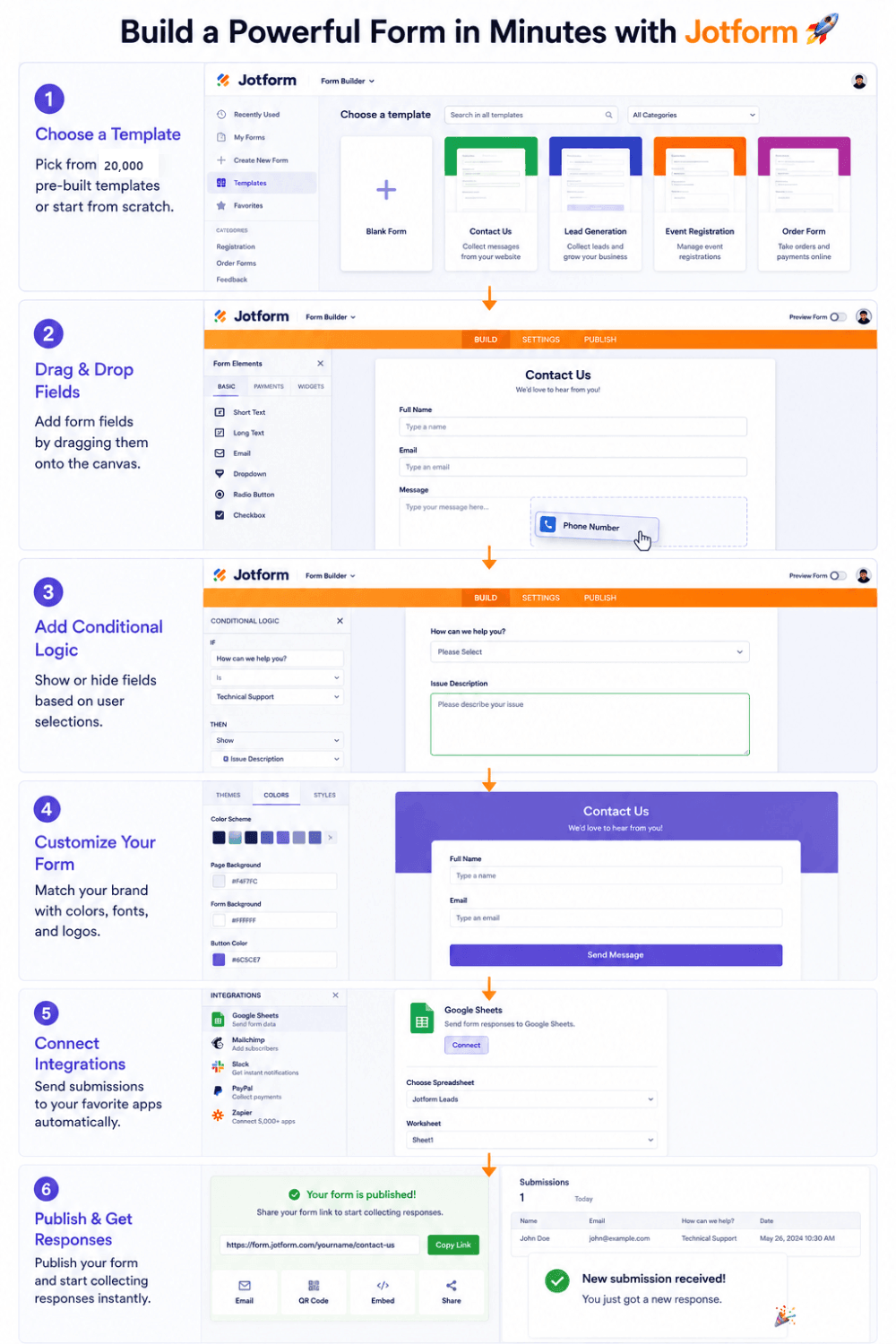
Start to finish, this usually takes less time than it would take to just plan out the HTML structure for the same form – let alone build, style, and test it from scratch.
When Coding Might Still Make Sense
To be fair, there are situations where custom code is genuinely the right call – if you’re collecting data into a highly specific internal system with unusual logic, or you need an interaction no builder currently supports.
But for the overwhelming majority of lead capture use cases – event sign-ups, service inquiries, newsletter opt-ins, quote requests – that level of complexity just isn’t necessary, and building it from scratch mostly just adds time between “I want to collect leads” and “I’m actually collecting leads.”
Frequently Asked Questions (FAQs)
Q1. Can I really collect leads without any coding knowledge?
Yes. No-code form builders are specifically designed so that anyone – regardless of technical background – can build, style, and publish a fully functional lead capture form without touching code.
Q2. Is a no-code lead form as reliable as a custom-built one?
In most cases, more so. Established no-code platforms have already handled validation, spam protection, and mobile responsiveness across millions of forms, which is difficult for an individual or small team to fully replicate from scratch.
Q3. How long does it take to build a lead capture form without coding?
Most simple lead forms can be built, styled, and published in well under an hour, and often in just a few minutes using a pre-made template.
Q4. Do I need a paid plan to start collecting leads?
No. Most platforms, including Jotform, offer a free tier that’s sufficient for getting started, with paid plans available once you need higher submission volumes or advanced integrations.
The Bottom Line
The best way to collect leads without coding isn’t really about finding a clever workaround – it’s about recognizing that the tools built for this exact job have already solved the hard parts: validation, spam protection, mobile design, and getting the data where you need it.
You’re not settling for a lesser version of a coded form; in most cases, you’re getting a more polished, better-tested one, built in a fraction of the time.
Jotform is one of the more established options in this space if you want to see it for yourself – a drag-and-drop builder, ready-made lead capture templates, and one-click integrations with the CRMs and tools most businesses already use.
➜Try Jotform free and start collecting leads today
If you’ve been putting off building a proper lead capture form because it felt like a coding project, it’s worth spending five minutes with a no-code builder before assuming you need anything more complicated than that.